
Choose light, dark or system
- Open Settings and plans → General settings.
- Find Appearance theme and choose Light, Dark or Use system setting.
- Return to your bookmarks to check how the theme looks with your group colors.
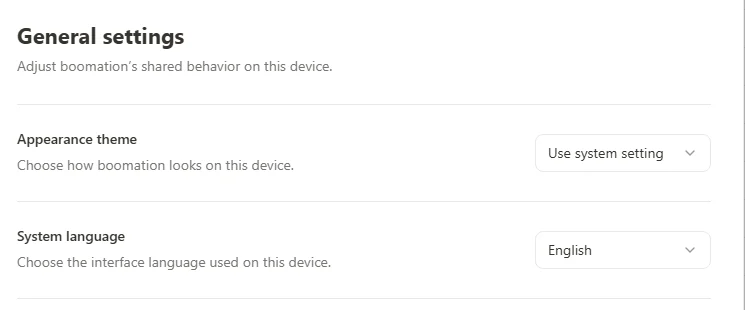 Enlarge screenshot
Change the extension language
Choose a language under System language in General settings. This changes the extension's interface labels, not the names or notes you wrote for bookmarks. The extension and this documentation site both support 20 languages. Selecting a documentation language does not change the extension setting.
Change density separately
For smaller cards or fewer displayed fields, use the page's View settings rather than Appearance theme. Those controls affect the bookmark view; toolbar behavior and link-opening preferences are separate options in General settings.