
Create a topic
- Select the workspace you want to organize.
- Use the plus button beside Pages in the sidebar.
- Give the page a short name and an icon that will be easy to recognize.
- Select the page to add bookmarks or move existing ones into it.
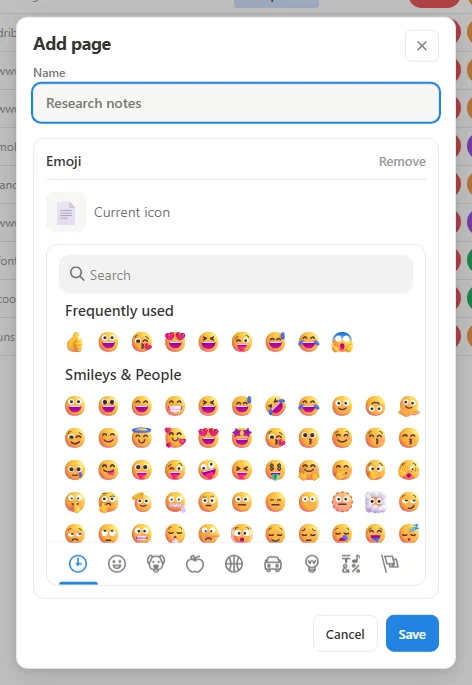 Enlarge screenshot
Keep navigation useful
Use the page's action menu to edit its details. Drag pages in the sidebar to put the most useful topics first. A page can hold categories, so you can keep Reading and Reference groups inside one topic rather than creating a page for every small distinction.
Know what belongs to a page
A bookmark belongs to a page. Categories are defined for that page, whereas tags can connect bookmarks across pages in the workspace. Use the move action to change the destination of existing bookmarks.