
Find the controls
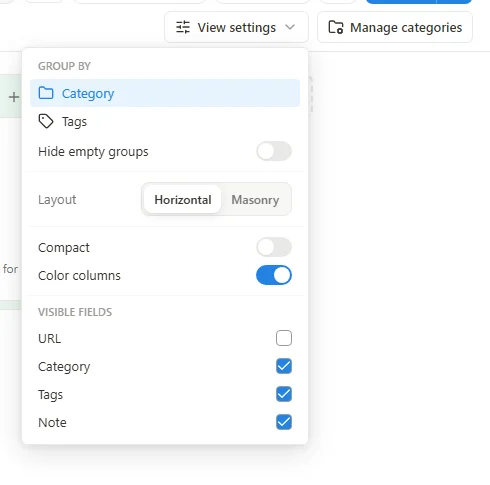
Switch to Board or Cards, then open View settings near the view tabs. The available controls depend on the active view and whether you are browsing a page, a tag or all bookmarks.
 Enlarge screenshot
What each setting changes
| Setting | Effect |
|---|---|
| Group by | Groups the view by the available category, tag or page option. |
| Hide empty groups | Hides groups with no bookmarks in the current results. |
| Horizontal / Masonry | Board only: changes how columns use the available space. |
| Compact | Board only: reduces the spacing of displayed cards. |
| Color columns | Board only: adds group background colors where available. |
| Visible fields | Shows or hides details such as URL, category, tags and note. |
Presentation is not deletion
Try changing one setting at a time so its effect is easy to recognize. Hidden fields remain stored, and empty groups remain defined. Full Popup has its own Visible fields control; its compact display should not be confused with the main page's View settings.