
Star everyday tools
Toggle a bookmark's star to mark or unmark it as a favorite. The favorites area provides quick access; the star filter narrows the current list to favorites. A favorite remains in its original page and category.
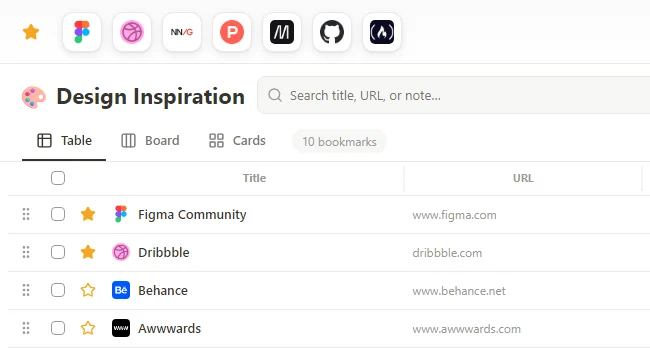 Enlarge screenshot
Write a useful note
- Open the bookmark edit form, or use the Note field while quick saving.
- Write the reason you saved the link, a follow-up task or a detail you want to find later.
- Save the edit and enable Note in the view's visible fields if you want to see it in the list.
Search the context too
Search matches stored notes as well as titles and URLs. Hiding the Note field only changes presentation; it does not remove the note. Notes are your own text attached to a link, not automatic highlights or an archived copy of the source page.